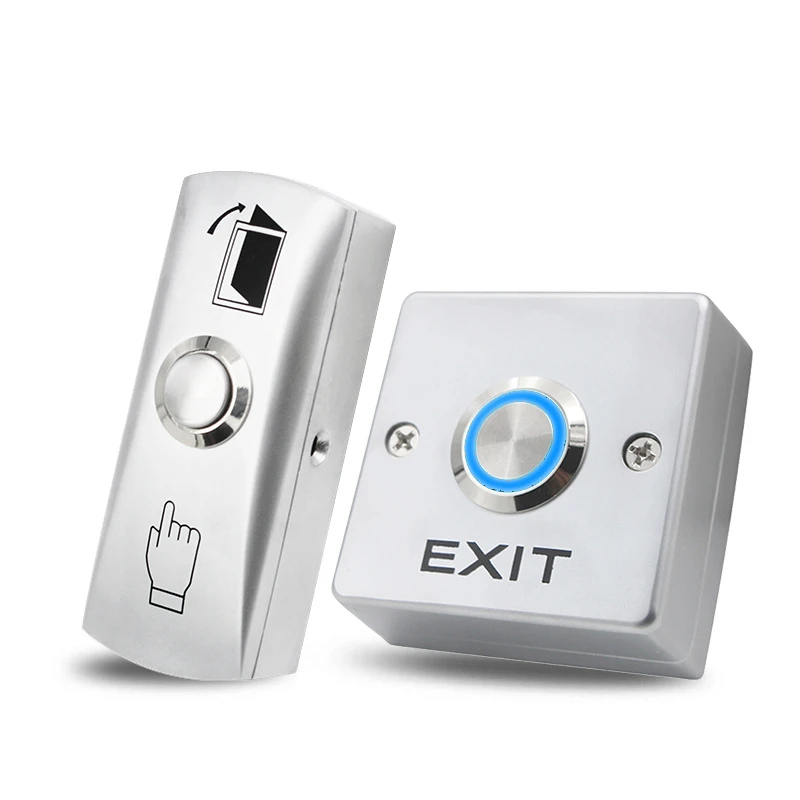
Contactless push button technology is changing the way people interact with machines, equipment, doors, and automated systems. Unlike traditional buttons that require physical pressure, a contactless push button can detect a hand or object without direct touch. This simple feature can improve hygiene, convenience, safety, and equipment life.
As businesses look for smarter and cleaner control solutions, contactless buttons are becoming popular in many industries. They can be used in public facilities, hospitals, factories, elevators, kitchens, offices, and commercial buildings. Their touch-free operation helps reduce unnecessary contact while providing fast and simple control.
What Is a Contactless Push Button?
A contactless push button is an electronic control device that activates when it detects a nearby hand, finger, or object. It does not require the user to physically press a mechanical switch. Instead, it may use technologies such as infrared sensors, capacitive sensing, or other proximity detection methods.
When the sensor detects movement or presence within its operating range, it sends a signal to the connected system. That signal can activate a door, start a machine, turn on equipment, or perform another programmed function.
How Does a Contactless Push Button Work?
The working principle depends on the sensor technology used inside the device. Infrared models use light to detect an object approaching the button area. Capacitive models detect changes in an electrical field caused by a nearby person or object.
After detection, the internal electronic circuit processes the signal. It then sends an output to the connected control system. This process happens quickly, allowing users to operate equipment with little delay.
The absence of physical contact also reduces mechanical wear. This can be useful in locations where buttons are used many times each day.
Main Benefits of Contactless Push Buttons
One of the biggest advantages of a contactless push button is improved hygiene. Since users do not need to touch the control surface, fewer people come into direct contact with the same area.
Another benefit is convenience. Users can operate equipment with a simple hand movement. This can be helpful when their hands are wet, dirty, occupied, or covered with gloves.
Contactless technology can also reduce wear caused by repeated physical pressing. With fewer moving parts, some designs can provide reliable operation over a long service period.
Improved Hygiene and Cleanliness
Cleanliness is especially important in healthcare, food service, public transportation, and shared facilities. Traditional buttons can collect dirt, oils, and microorganisms because many people touch the same surface.
A contactless push button provides a practical way to reduce direct surface contact. Cleaning staff may also find these systems easier to maintain because users are not constantly touching the activation area.
Although touch-free operation can support better hygiene, regular cleaning and proper maintenance are still important.
Applications in Public Buildings
Contactless push buttons are widely suited to public environments. They can be installed near automatic doors, restroom entrances, elevators, lighting systems, and accessibility equipment.
In busy buildings, hundreds of people may use the same control every day. A touch-free solution can make the experience more convenient while reducing repeated physical contact.
Shopping centers, airports, hotels, schools, offices, and government facilities can all benefit from this type of control technology.
Use in Industrial Environments
Factories and workshops often require durable control equipment. Workers may operate machines while wearing gloves or handling materials.
A contactless push button can make machine interaction easier when pressing a traditional button is inconvenient. It can also help reduce physical wear on frequently used controls.
However, industrial applications require careful selection. The button should match the environmental conditions, electrical requirements, and safety standards of the machine.
Contactless Push Buttons for Doors
Automatic doors are another common application. A user can move a hand near the sensor to activate the opening mechanism.
This can be useful in hospitals, warehouses, restaurants, offices, and commercial buildings. In accessibility applications, touch-free activation can also make entry and exit easier for people who may have difficulty operating traditional controls.
The sensor range should be selected carefully to prevent accidental activation while still providing comfortable operation.
Contactless Push Button vs Traditional Button
Traditional push buttons depend on physical movement. The user presses the button, and an internal mechanical or electronic mechanism sends the required signal.
A contactless push button removes the need for direct pressure. This can provide a cleaner user experience and reduce physical wear.
However, traditional buttons can still be useful where simplicity and low cost are the main priorities. The best option depends on the application, environment, installation requirements, and desired user experience.
Important Features to Consider
When choosing a contactless push button, several features should be considered. Detection distance is important because the sensor must respond at a comfortable range.
Response time also matters, especially in fast-moving environments. The device should activate quickly without unnecessary delays.
Other factors include operating voltage, output type, installation method, environmental protection, material quality, and expected service life.
For outdoor or demanding locations, selecting a suitable protection rating can help the device withstand dust, moisture, and other environmental conditions.
Installation and Maintenance
Correct installation is important for reliable performance. The sensor should be positioned where users can easily approach it without creating unnecessary activation.
Nearby reflective surfaces, strong lighting, electrical interference, or other objects may affect certain sensor technologies. Following the manufacturer’s installation instructions can help prevent these problems.
Regular maintenance should include checking the sensor area, cleaning the surface, inspecting connections, and testing the output. A clean and correctly aligned sensor can provide more consistent operation.
Safety Considerations
Safety should always be considered when installing a contactless control device. The button must be compatible with the equipment it controls.
For machinery, emergency controls should not be replaced with ordinary contactless activation devices unless the complete system has been designed and approved for that purpose.
Electrical connections should also be completed by qualified personnel when required. Proper installation helps prevent faults and protects both users and equipment.
Choosing the Right Contactless Push Button
The right contactless push button depends on where and how it will be used. Start by identifying the required detection range and electrical specifications.
Next, consider the environment. Indoor office use may require different protection than a factory, outdoor entrance, or food-processing area.
It is also useful to check the button’s response time, mounting style, operating temperature, durability, and compatibility with the existing control system. Choosing a product based on actual application needs can improve reliability and reduce future replacement costs.
Future of Touch-Free Control Technology
Touch-free controls are likely to remain important as businesses continue adopting automation and hygienic technologies. Improvements in sensors and electronic controls can make these devices more accurate and easier to integrate.
Smart building systems may also connect contactless controls with access systems, lighting, automation platforms, and other digital technologies. This can create smoother interactions while reducing the need for physical controls.
As technology develops, contactless operation may become a standard feature in many public and commercial environments.
Conclusion
A contactless push button offers a practical way to control equipment without direct physical contact. Its benefits include improved convenience, reduced surface contact, lower mechanical wear, and flexible installation options.
From automatic doors and public facilities to industrial equipment and smart buildings, this technology can support many applications. When selecting a contactless push button, users should consider sensor technology, detection range, durability, electrical compatibility, environmental conditions, and safety requirements.
With proper installation and maintenance, contactless control systems can provide a reliable and modern alternative to traditional push buttons.
Frequently Asked Questions
What is a contactless push button?
A contactless push button is a sensor-based control that activates when it detects a nearby hand or object without requiring physical contact.
Where are contactless push buttons commonly used?
They are commonly used for doors, elevators, lighting, machinery, public facilities, healthcare equipment, and automated systems.
Are contactless push buttons hygienic?
They can reduce direct contact with shared surfaces, which may support better hygiene. Regular cleaning and maintenance are still necessary.
How does a contactless button detect movement?
Depending on the design, it may use infrared, capacitive sensing, or another proximity detection technology.
Are contactless buttons suitable for factories?
Yes, many models can be used in industrial environments, provided their specifications match the machinery and operating conditions.
What should I consider before buying one?
Consider detection range, sensor type, response time, electrical requirements, durability, protection rating, installation method, and system compatibility.